How to get started with Wellfound Reach agents?
A Reach agent searches for candidates for a role in your project. Describe who you need, review its matches, and adjust the search as you learn. Your first description does not have to be perfect.
Getting Started with Wellfound Reach agent searches
-
Start an agent
Open the project for the role. Under Agents in the left sidebar, click Add Agent (1).

-
Describe the role
On Who are you looking for?, enter a description (2), then click the arrow (3). Include the role, location or remote requirements, experience level, must-have skills, and preferences. You can also paste a job listing or its URL. If you have already posted a job, you may see Pick an existing job as another way to start.
For example: “Frontend engineer, 5–8 years of experience in New York City. Must have React; TypeScript and design systems are pluses.” If you are still deciding something, say so. If Wellfound asks a follow-up question, answer in the agent’s chat.

-
Review matches
Open the agent from the left sidebar and select Matches. Each candidate card shows a fit assessment and a short explanation. Open a candidate’s card (4) to read their profile and the reasons behind the assessment.

-
Decide who to advance
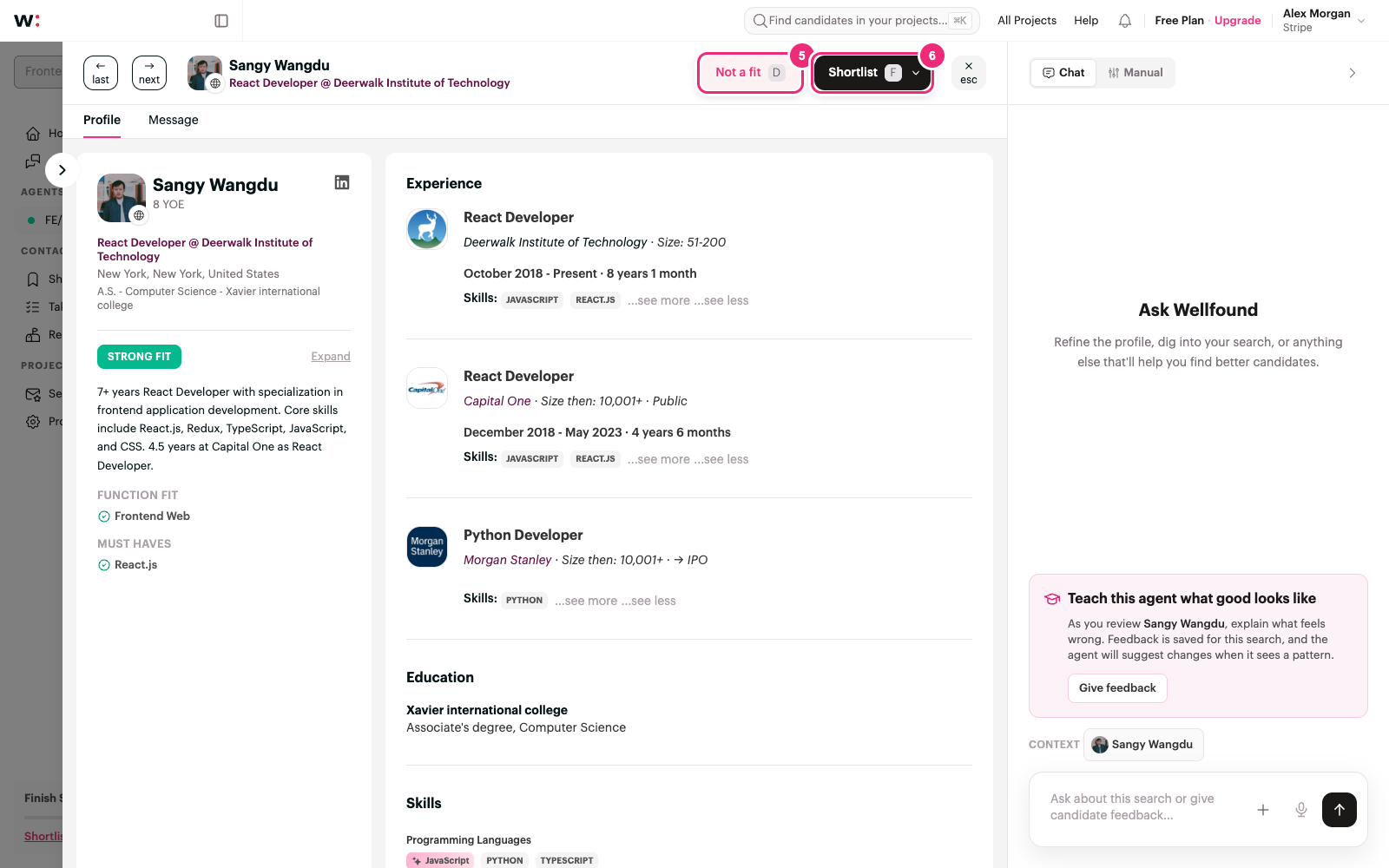
After reviewing a profile, click Not a fit (5) for someone you do not want to advance, or Shortlist (6) for someone you do. Shortlisted candidates appear in the project’s Shortlist.
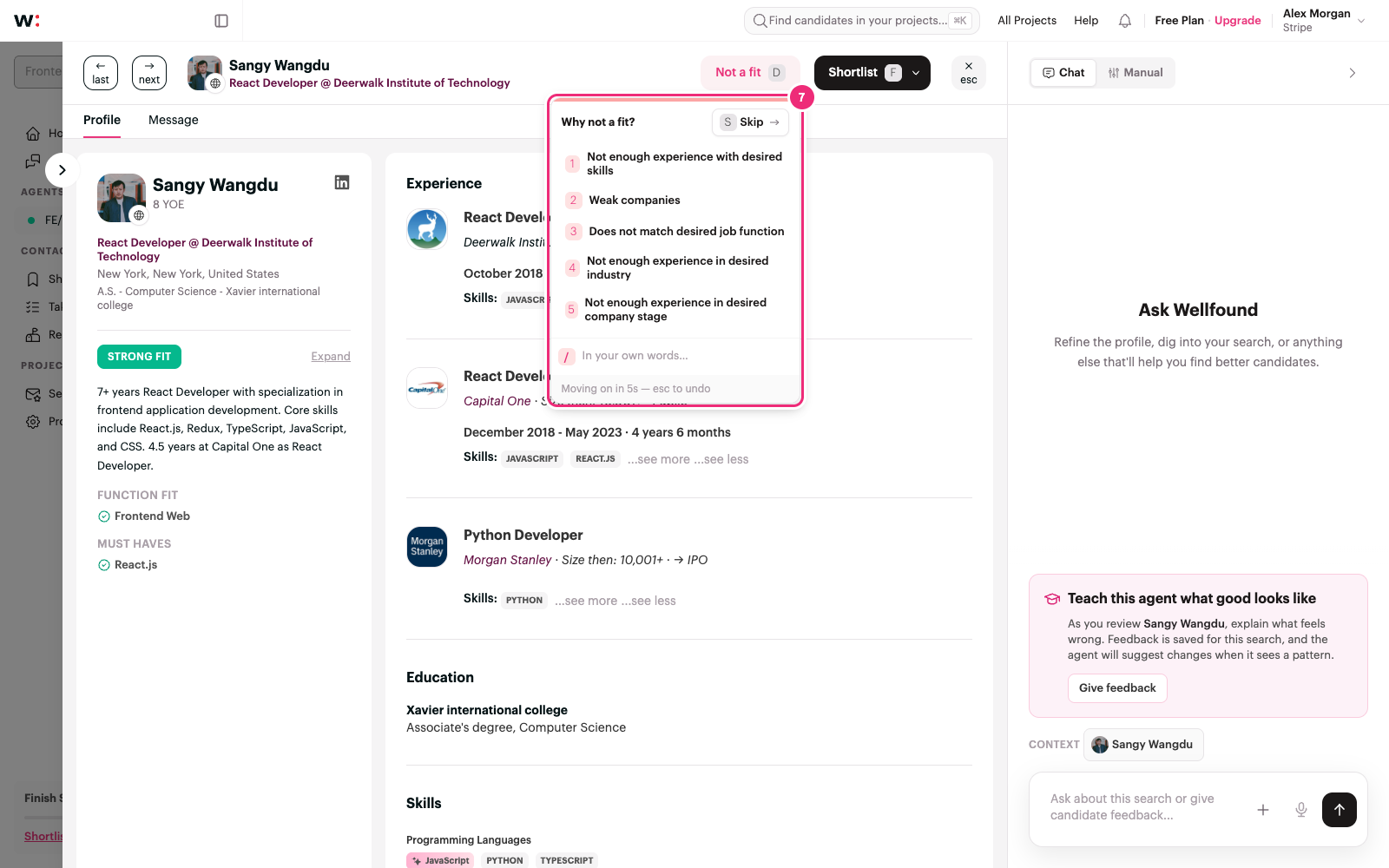
For Not a fit, choose a reason or write one in your own words (7). The decision is recorded without a reason when the countdown finishes. Hover over the menu to pause it, or press Esc to cancel. Your feedback is saved for this search and can help the agent suggest improvements when it sees a pattern.
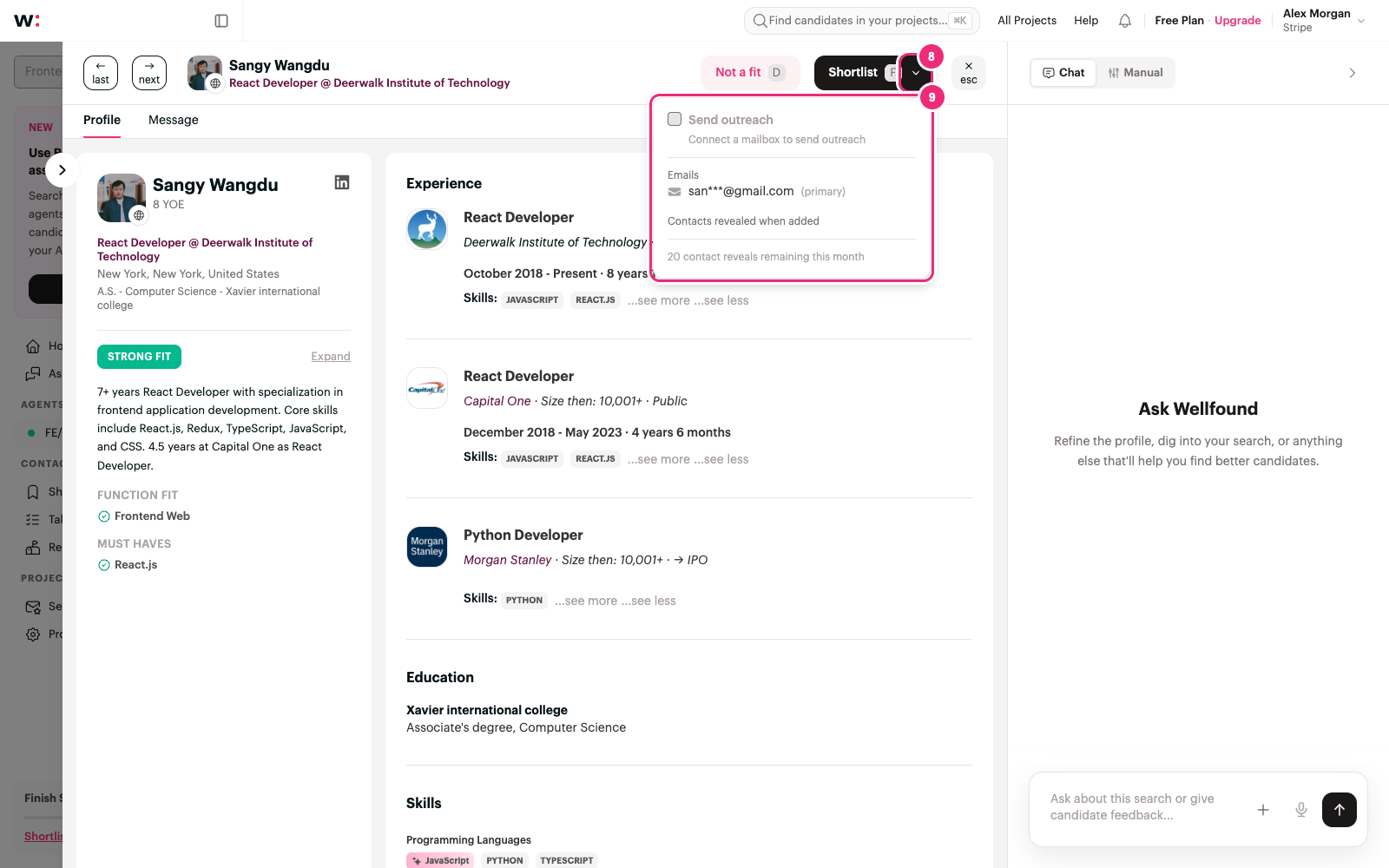
Shortlisting and sending outreach are separate choices. Open the small chevron (8) beside Shortlist to check Send outreach in the menu (9). The button says Shortlist when it will only add the candidate, or Shortlist & Send when it will also start outreach. Sending requires a connected mailbox, an eligible sequence, and an email address for the candidate. If it is unavailable, you can still shortlist the person and contact them later.
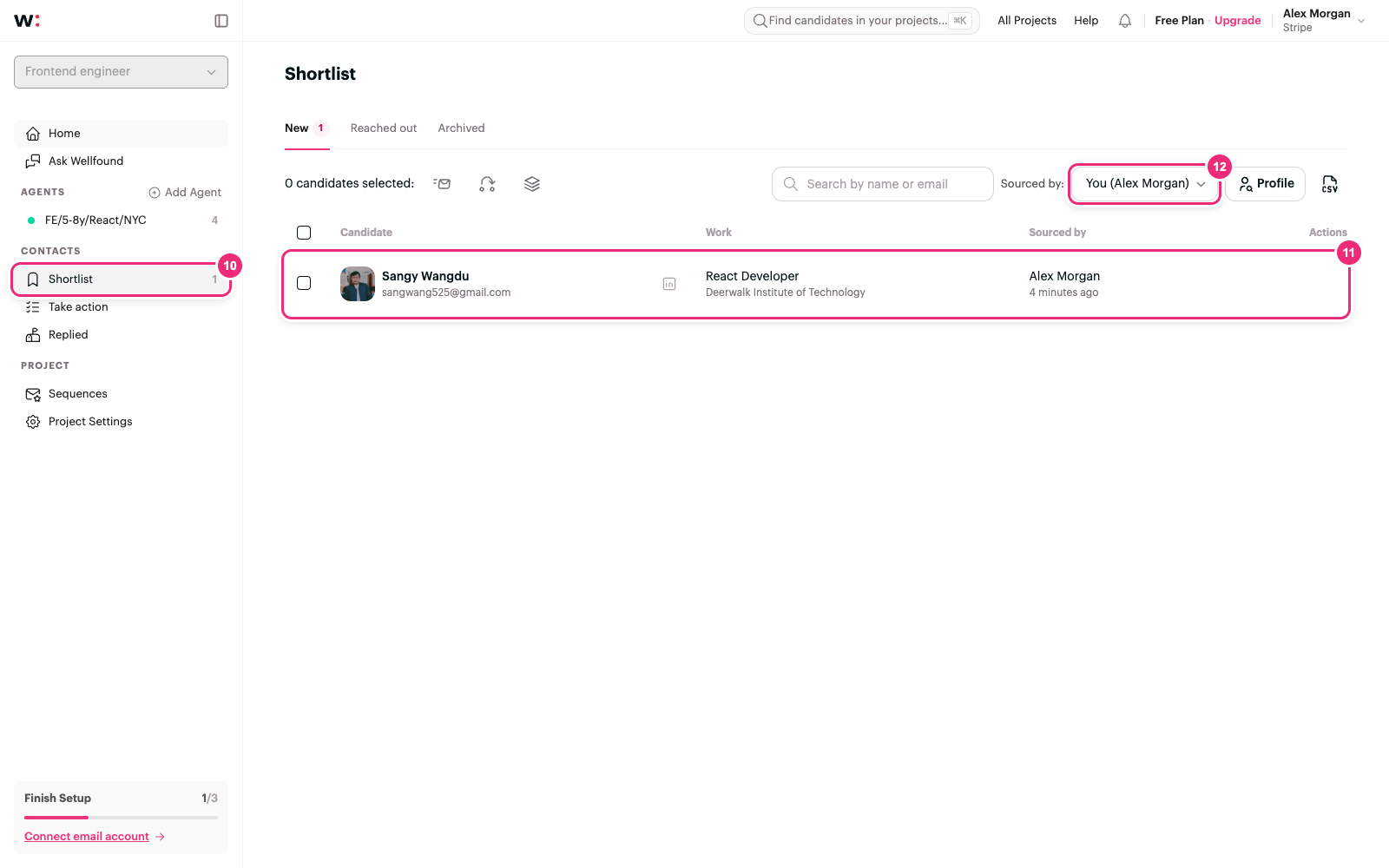
To find someone you shortlisted, open Shortlist in the project sidebar (10). The candidate appears in the New tab once the import finishes; click their row (11) to open the profile and take the next step. If a teammate or an agent added someone and you cannot see them, change Sourced by to All (12).
-
Improve the search
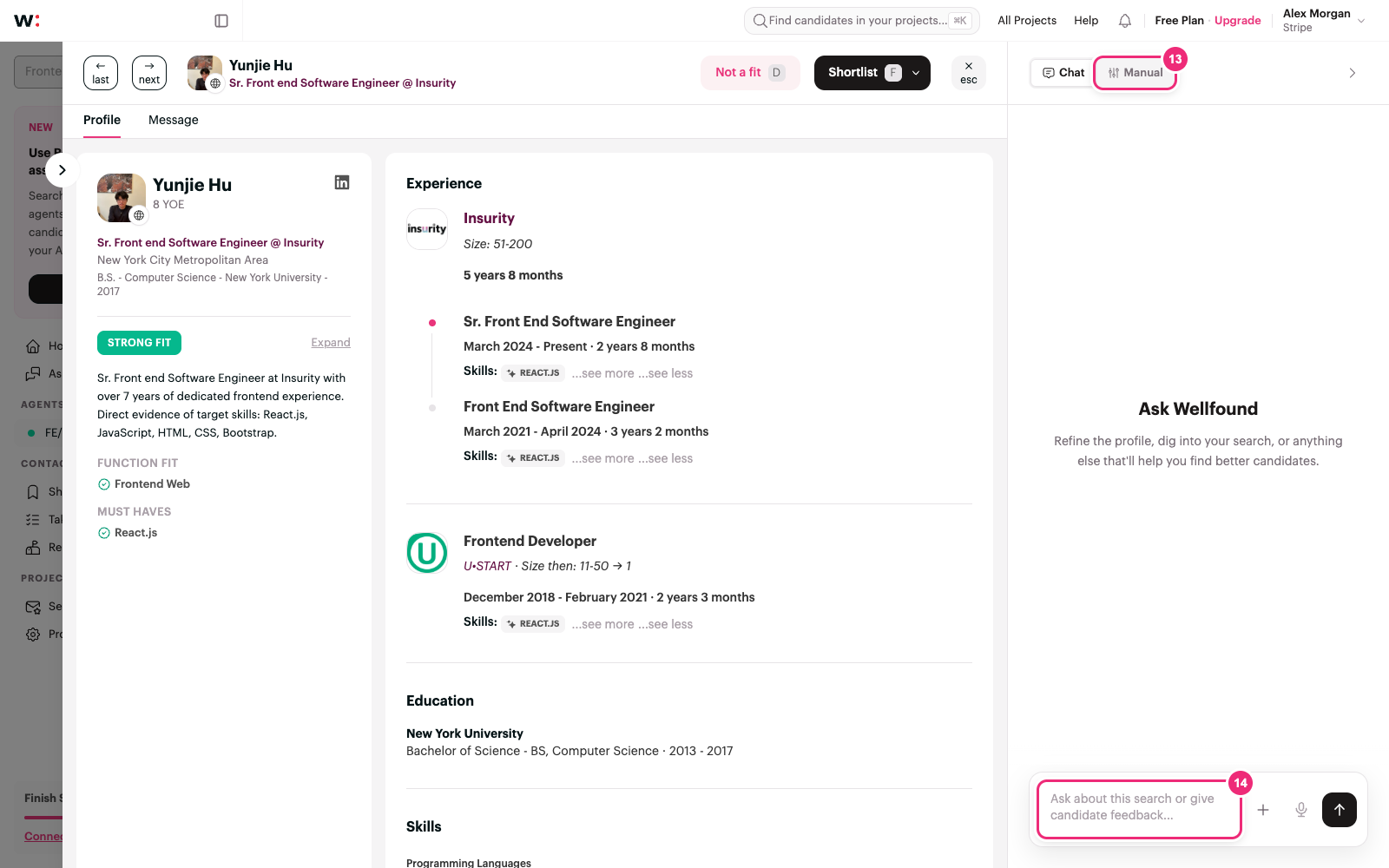
Use the agent’s chat (14) to explain what is missing or too restrictive. For example: “Keep React required, treat design systems as a preference, and include candidates in Jersey City.” If a candidate profile is open, you can give feedback about that candidate in the same chat. Choose Manual (13) when you want to edit search and evaluation controls directly. Applying changes to a running search may restart it.
If the agent runs out of candidates, choose Expand the search in chat and say which requirements you can relax.
-
Ask Wellfound when you are unsure
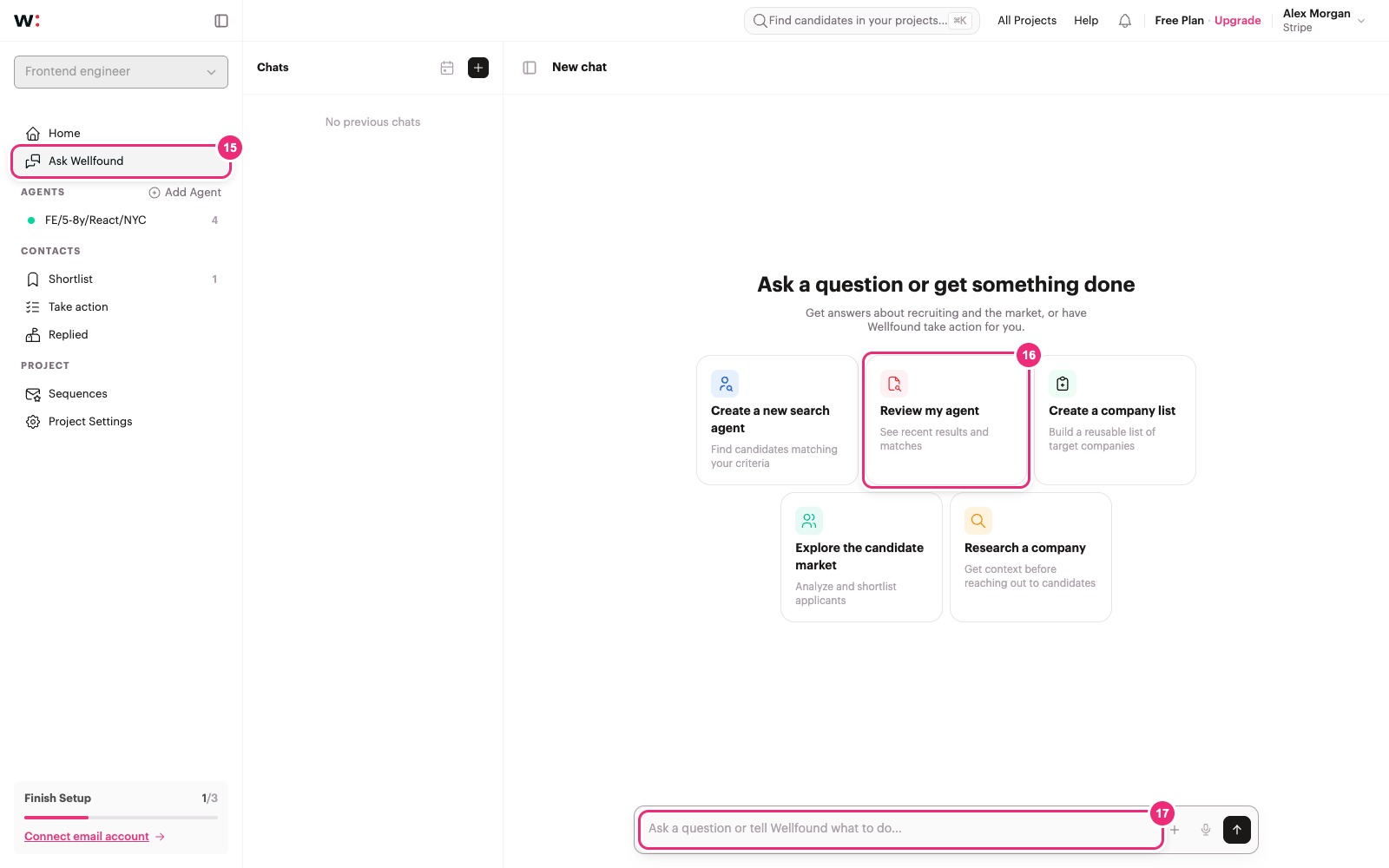
Click Ask Wellfound in the project sidebar (15) for help beyond the current agent’s chat. Choose Review my agent (16) to put that prompt in the message box, or write your own question (17), such as “Why is my frontend search returning so few matches?” Send the message to start the conversation. You can also ask Wellfound to help create a new search agent or explore the candidate market.