
What are projects?
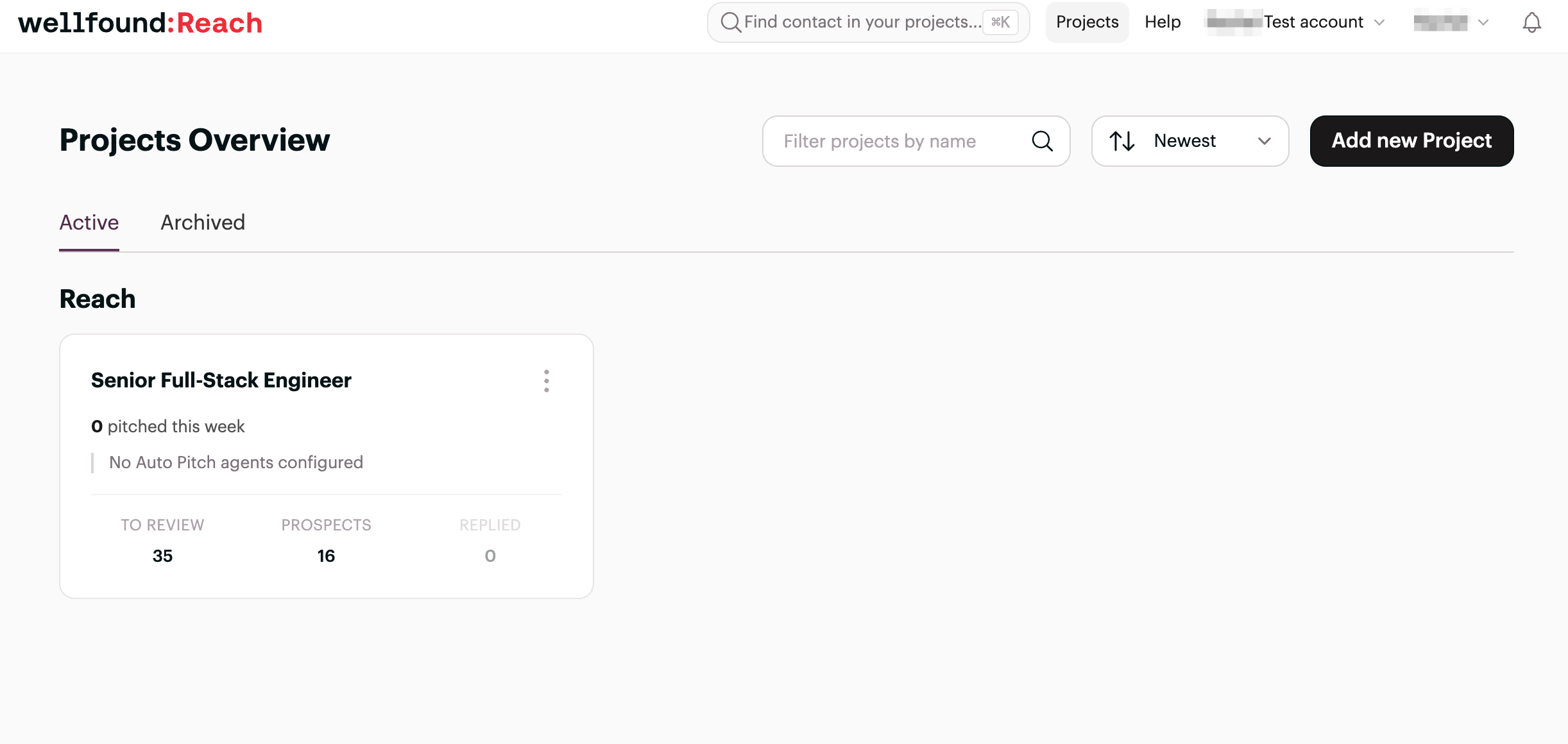
Projects are the foundation of your recruiting workflow in Wellfound Reach. Each project represents a specific role you're trying to fill — think of them as folders that organize all of your sourcing activity for that position in one place.
Within a project, you can run multiple AI search agents simultaneously, each configured to find candidates matching different criteria for the same role. This lets you cast a wider net while keeping everything neatly organized by job opening.
How to navigate to your projects
- Log in to your Wellfound Reach account.
- Click Projects in the top navigation bar to see all of your active projects.
- Select a project to open its dashboard.
-
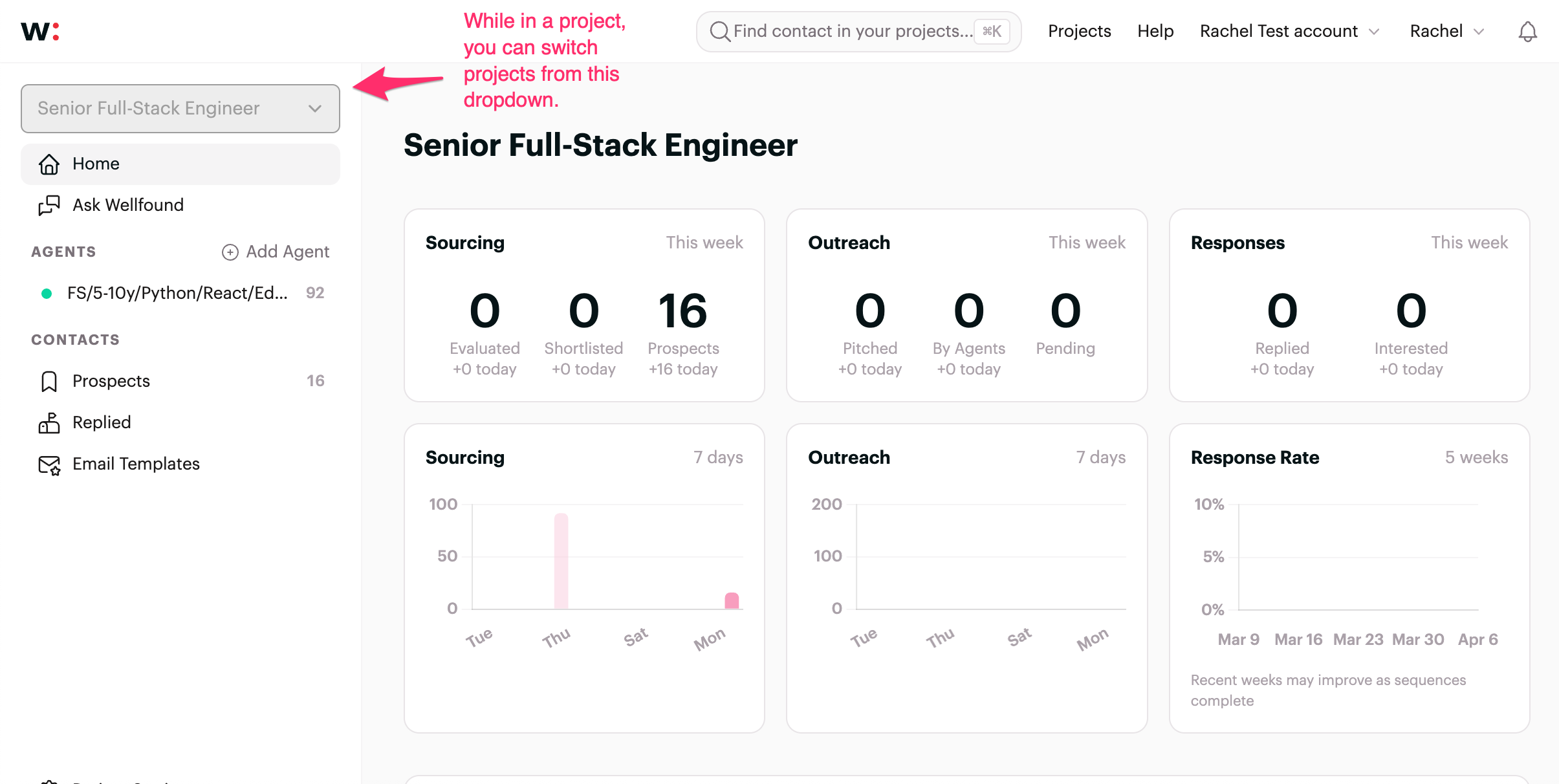
Once inside a project, use the dropdown menu in the upper-left corner to switch between projects without returning to the main Projects page.
What you'll see inside a project
Each project dashboard shows a Sourcing summary — how many candidates have been evaluated, shortlisted, and added as prospects. You'll also see Outreach and Response metrics, which track how candidates are engaging with your team's messages.
How to create a new project
- Go to wellfound.com/recruit/projects.
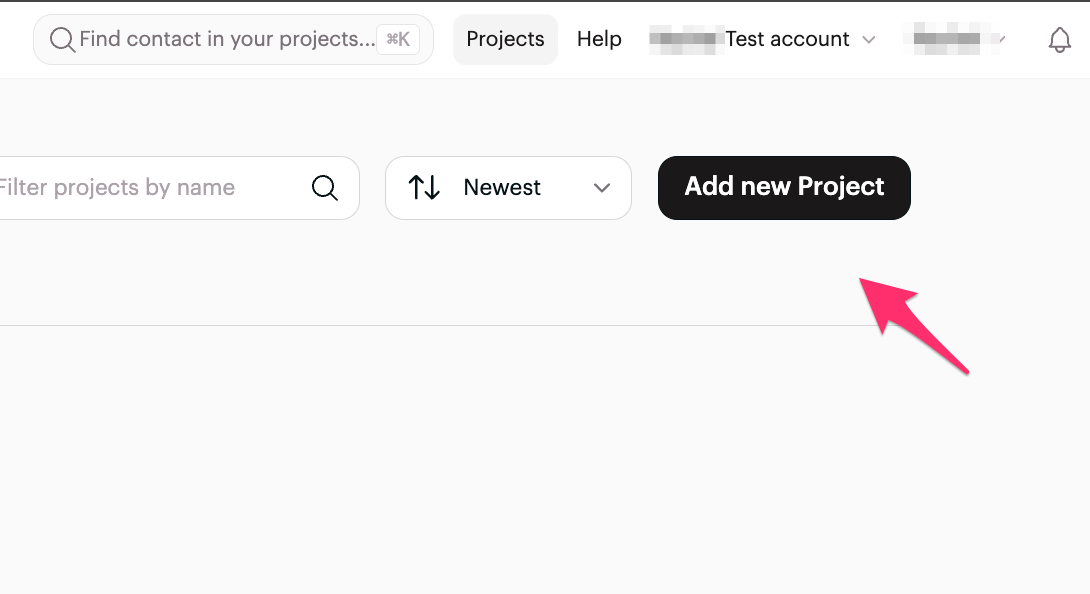
- Click the Add New Project button in the upper-right corner.
- Name your project after the role you're hiring for and complete any setup prompts.
You can create unlimited projects regardless of your plan.
How to archive a project
When a role is filled or a search is no longer active, you can archive the project to keep your workspace tidy.
- Go to wellfound.com/recruit/projects.
- Find the project you want to archive.
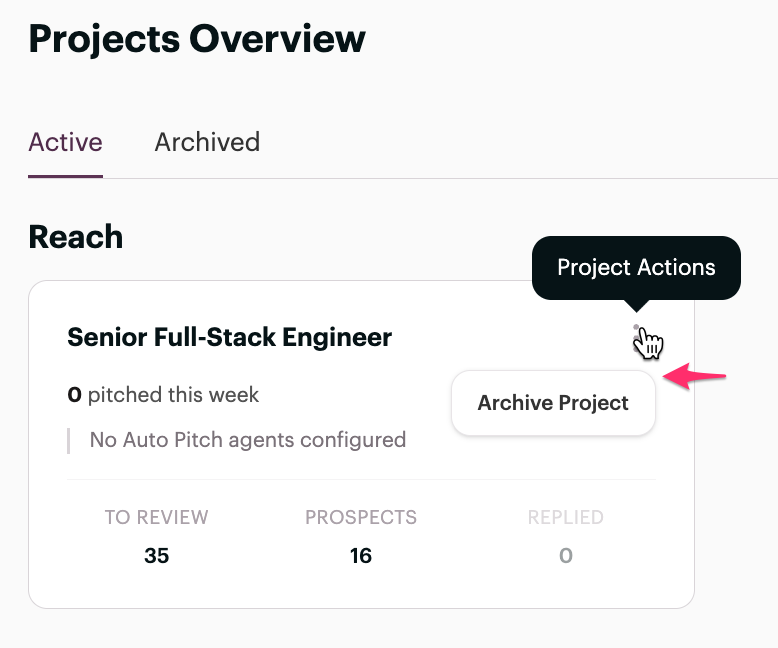
- Click the ⋮ (vertical three-dot menu) on the project card.
- Select Archive.
Archived projects are removed from your active view but your data is preserved.
How many agents can I run per project?
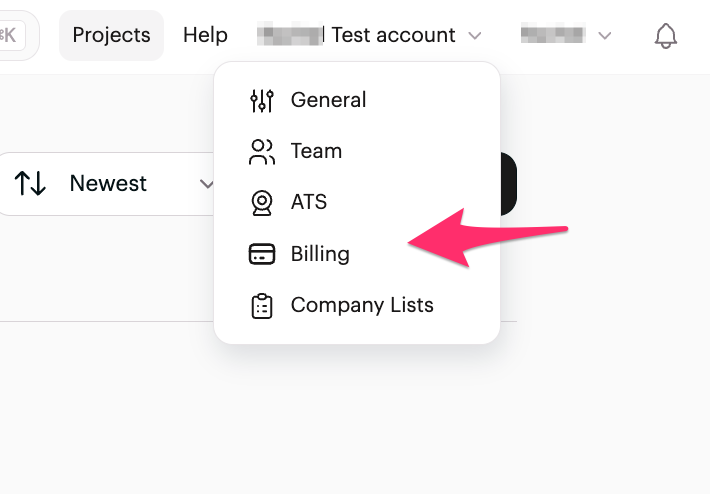
The number of active AI sourcing agents and contact reveals available to you depends on your plan. To view or upgrade your plan, go to Settings → Billing from the Account dropdown in the top right corner.
What is Ask Wellfound?
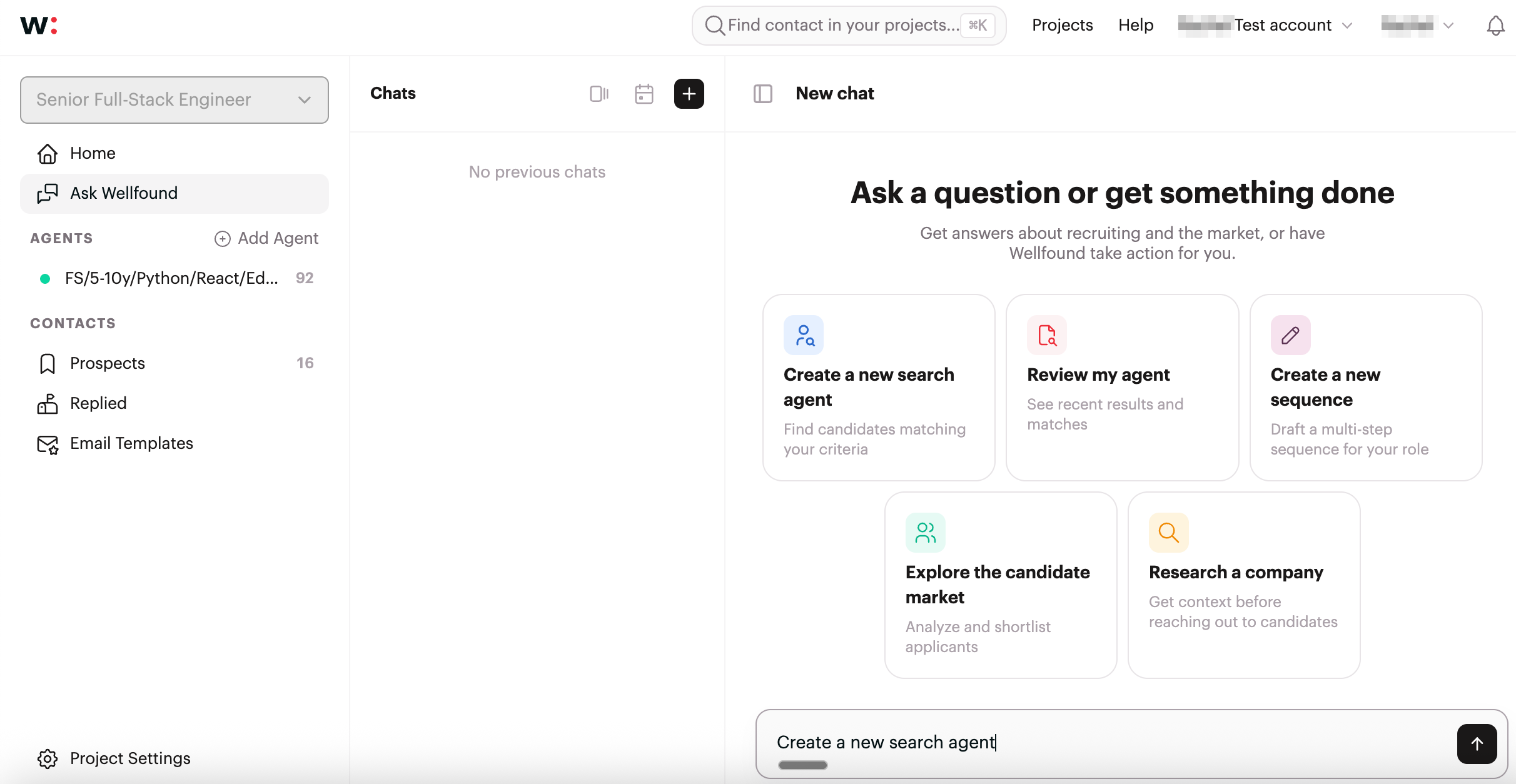
Ask Wellfound is an AI chat tool available within Reach that helps you refine your candidate searches, improve outreach messaging, and assist with other recruiting tasks. You'll find it in the left sidebar of any project.
Tips for using projects effectively
- One project per role. Create a separate project for each open position. Mixing roles within a single project makes it harder to track performance and manage outreach.
- Use multiple agents per project. Within a single project, you can add several AI agents targeting different candidate profiles for the same role — useful when a role can be filled by candidates with varied backgrounds or skill sets.
- Archive when a role is filled. Keeping your active projects list clean makes it easier to focus on open searches.